We’re excited to announce the launch of the Shift Management feature in HReasilyPro. This innovative enhancement allows users to easily manage shift scheduling with enhanced experience, and offers greater visibility for both administrators and employees.
Key Features:
- Enable managing multiple employees to a scheduled shift
- Easily assign multiple employees into a single shift through individual shift creation or bulk upload capability
- Easily update or remove multiple employee assignments from a shift
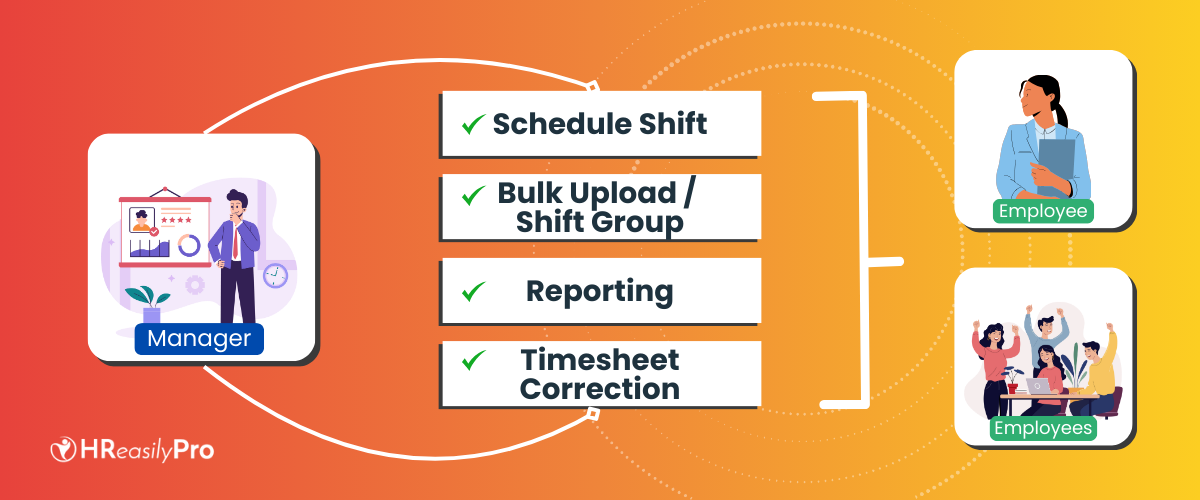
- Enhanced scheduled shift visibility between Shift Group and Employee List view
- Admin and Employees now can easily view scheduled shift by:
- Shift Group View: This filter will show multiple employees assigned to a shift
- Employee List View: This filter will show all scheduled shifts for each individual employee
- Admin and Employees now can easily view scheduled shift by:
- Allow employees to submit request change shift
- Employees now can easily access their own scheduled shift, and view their teammates’ schedules
- Employees can request a swap shift with their teammates. Once approved, the shift will be reassigned to the teammates.
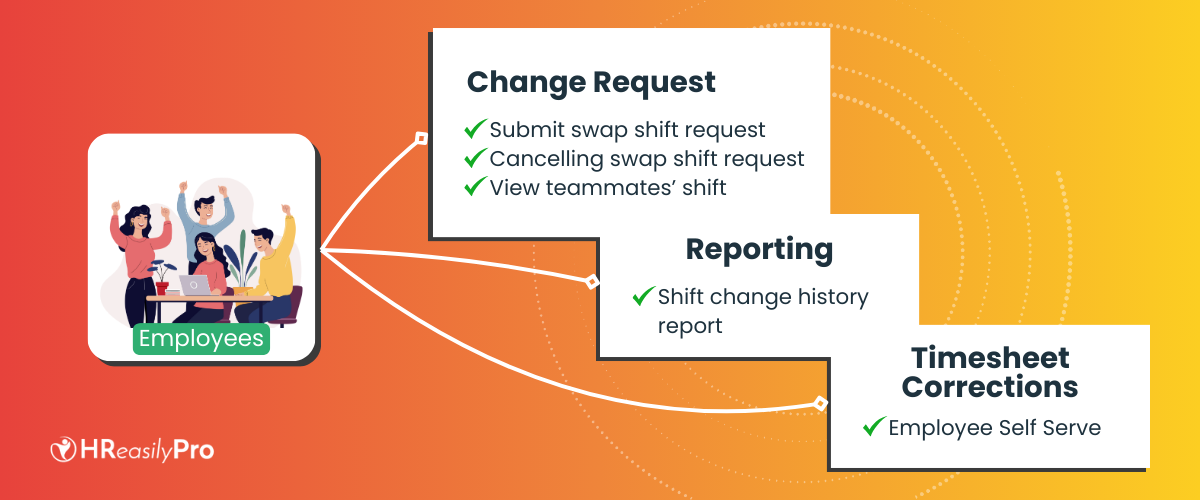
- Allow employees to submit change shift cancellation request
- While employees now can easily request a swap shift with their teammates, they can still submit cancellation requests for previously approved shift swaps, offering greater flexibility.
- Generate change shift request report
- Admin and Employee can see all request change shift history and generate the excel report along with the approval status.
- Allow employees to submit timesheet (time attendance) cancellation request
- Employees now can submit cancellation requests for time attendance data corrections, eliminating the need for manual update by administrators.
- Administrators now can avoid the complexity of rejecting timesheets for each employee and can focus on more strategic tasks.
- Enhanced Time Attendance Data view
- Admin is now able to gain a quick overview of the whole time attendance data for all employees within a chosen period.
- Enhanced filter to easily view employee time attendance information by:
- Filter by selected date range
- Filter by multiple employee name
- Filter by Department
- Filter by Work Location
- Filter by Active or Inactive employee status
- Enhanced visibility to view employee leave and absence tracking in Time Attendance report
- Admin now can easily review employee attendance data and identify employees who are on leave, day off, rest day, or forgetting to record their clock in and clock out data.
How to get started:
- Log in to your HReasilyPro account.
- Navigate to the Timesheet module.
- Access the Schedule Shift feature to start managing employee’s shift.
Secure a demo appointment with us to uncover the full potential of these updates and how HReasilyPro aligns with your business goals. [Request a demo].
See it on your own numbers.
Start free, import your team, and run a cycle on real hours. Nothing is filed until you approve it.
Sign up for free